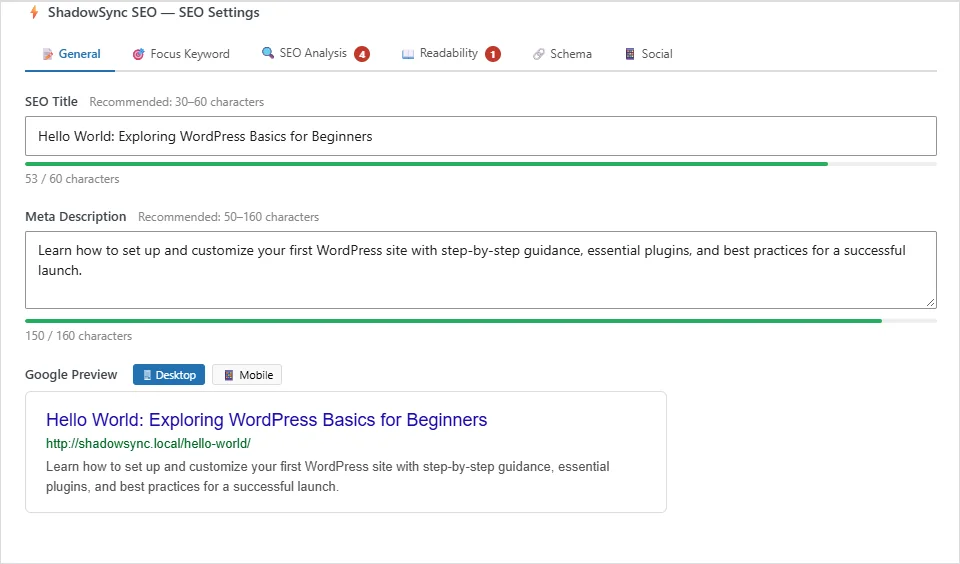
Titles and descriptions, as Google will show them
Edit the SEO title and meta description right in the post editor, with character bars and a live preview for desktop and mobile.
- Google preview
- Desktop and mobile
A free SEO plugin for WordPress. It scores every page out of 100, names what to fix, and gives you the editors to fix it.
Free on wordpress.org · WordPress 6.2+ · PHP 7.4+
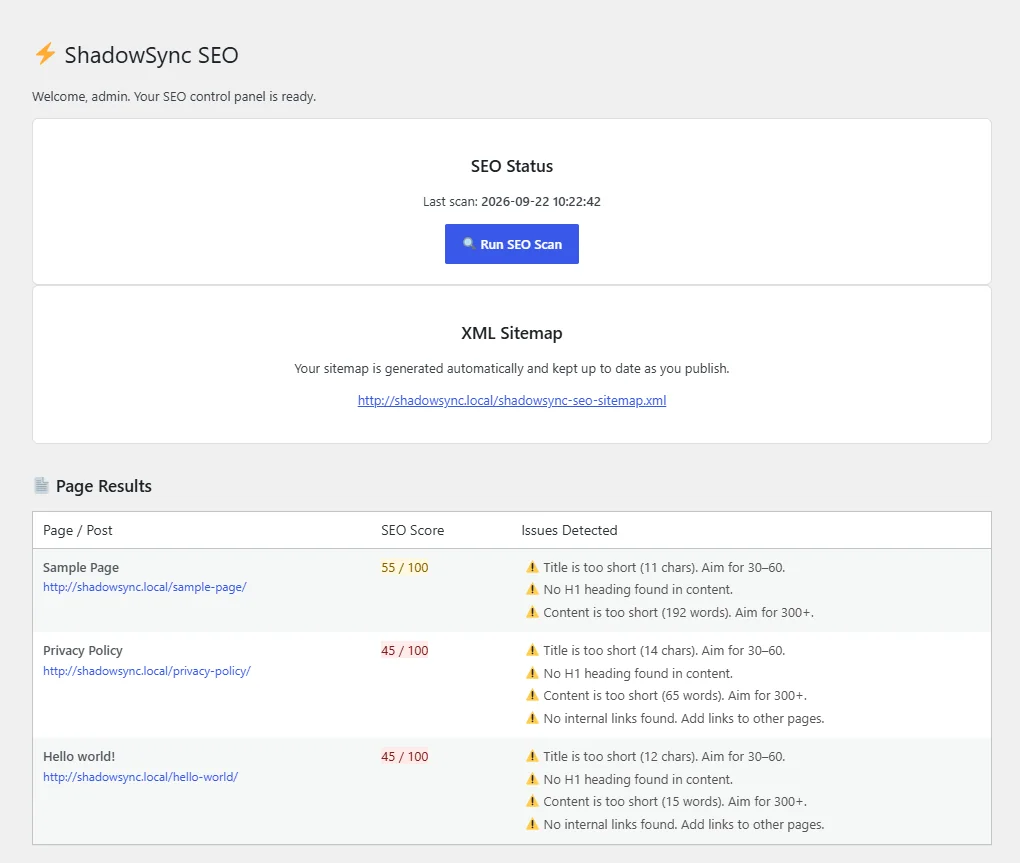
No locked features, no trial and no usage limits. Install it from wordpress.org and all of it is yours.
Edit the SEO title and meta description right in the post editor, with character bars and a live preview for desktop and mobile.
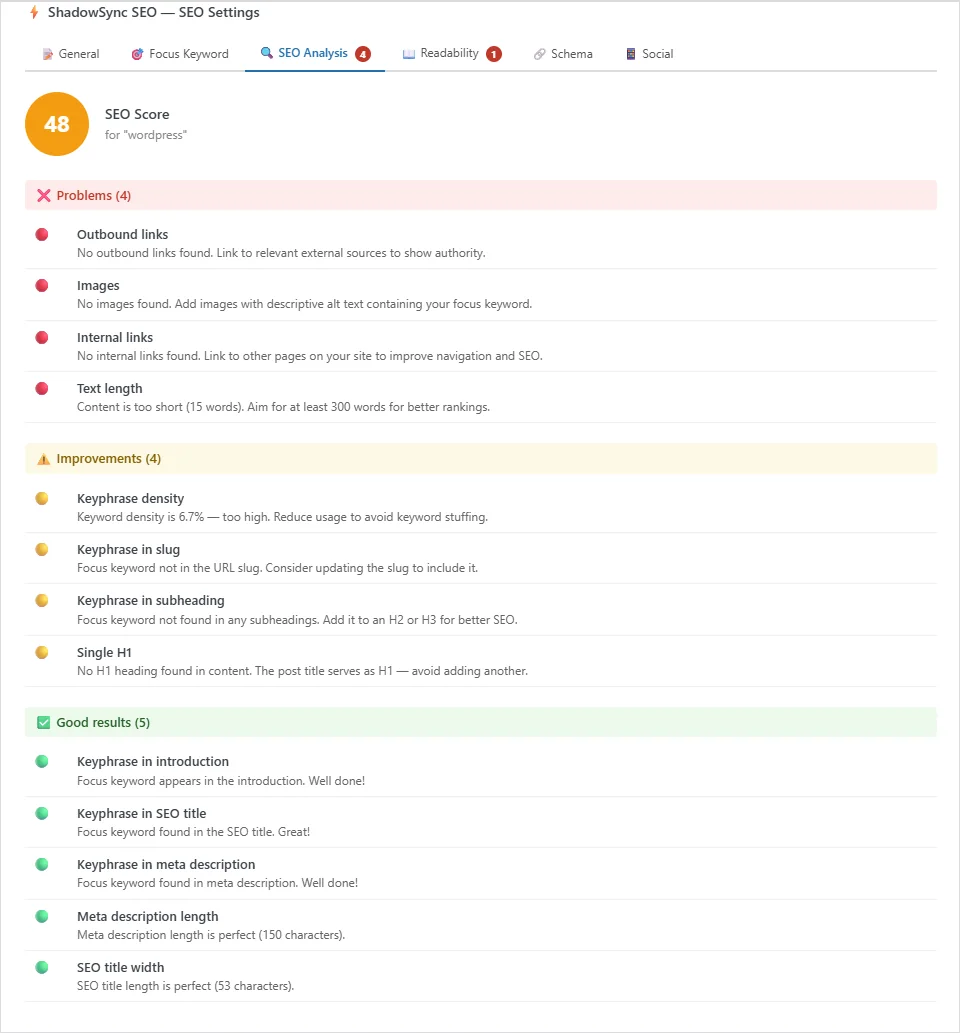
Set a focus keyword and the SEO Analysis tab checks the title, description, slug, introduction, subheadings, density, links, images and length.
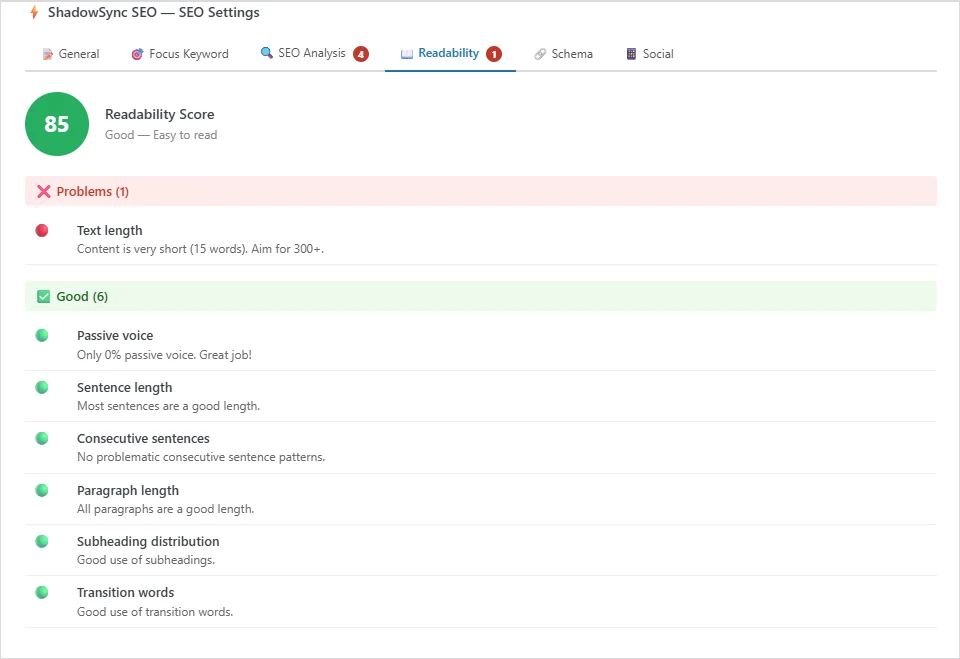
Passive voice, sentence and paragraph length, transition words, repeated sentence openings and subheading spacing, scored and graded.
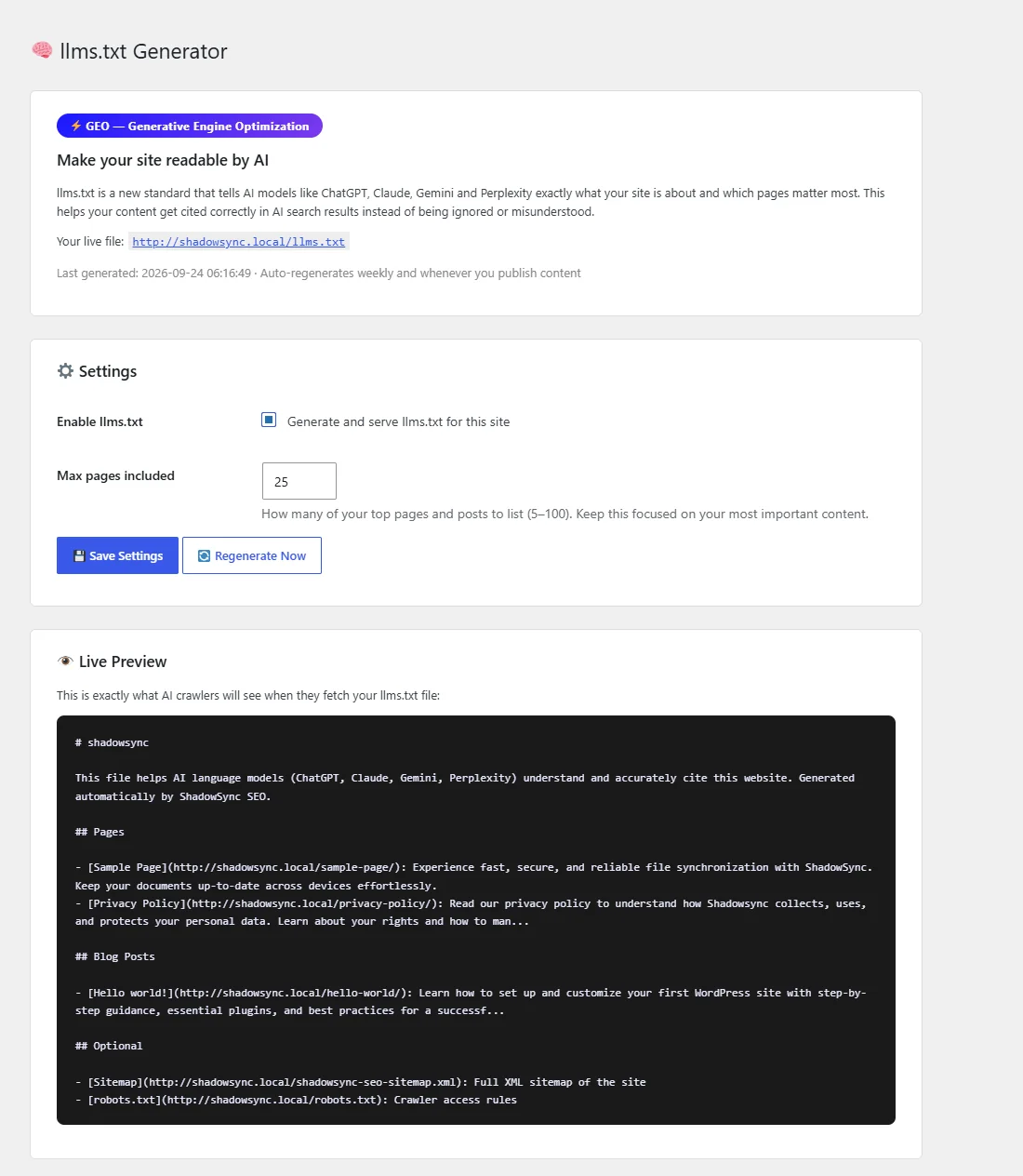
Lists your most important pages for AI models at /llms.txt. It rebuilds weekly and whenever you publish.
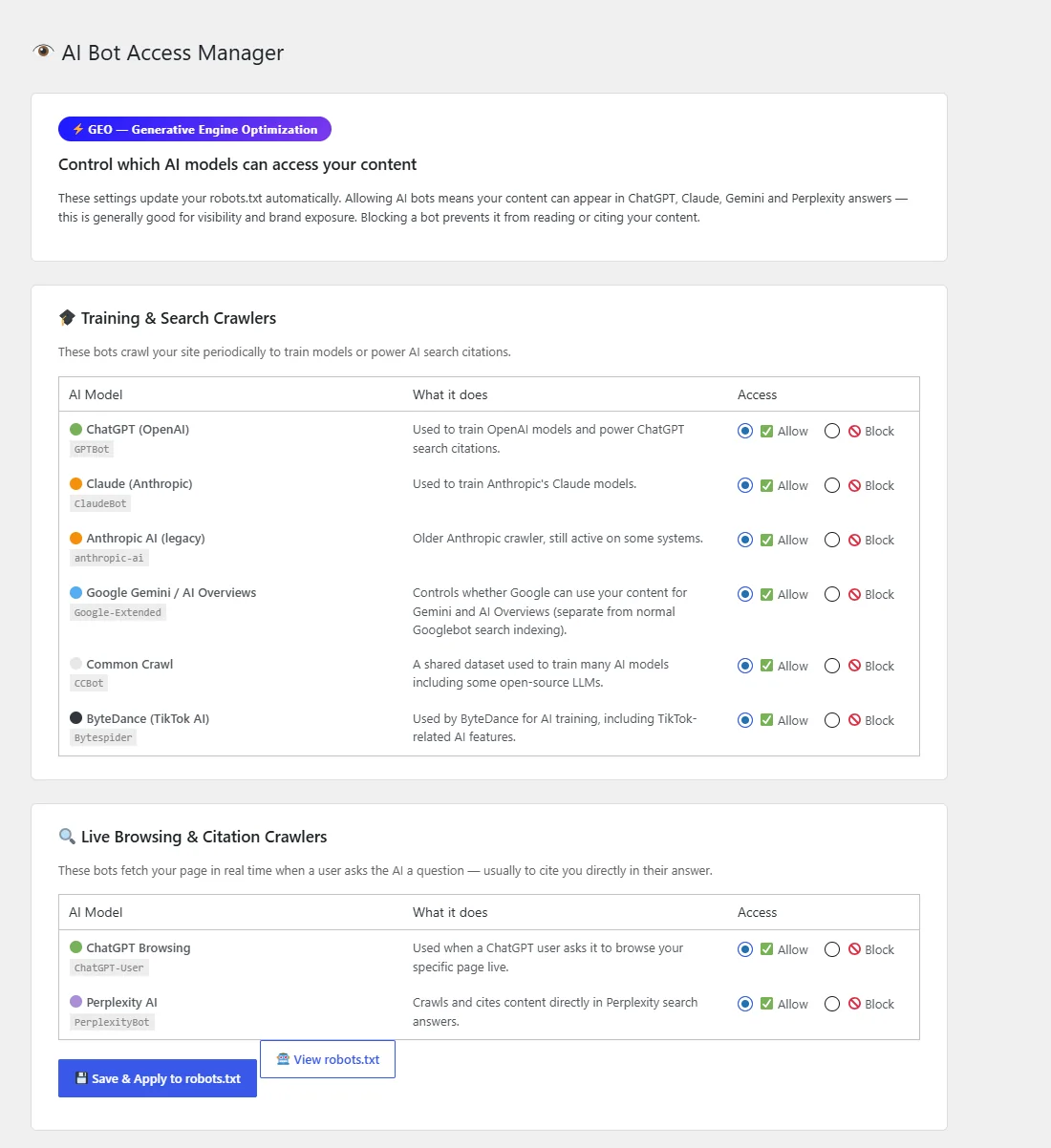
Allow or block GPTBot, ClaudeBot, Google-Extended, PerplexityBot and four more, one switch each. robots.txt updates itself.
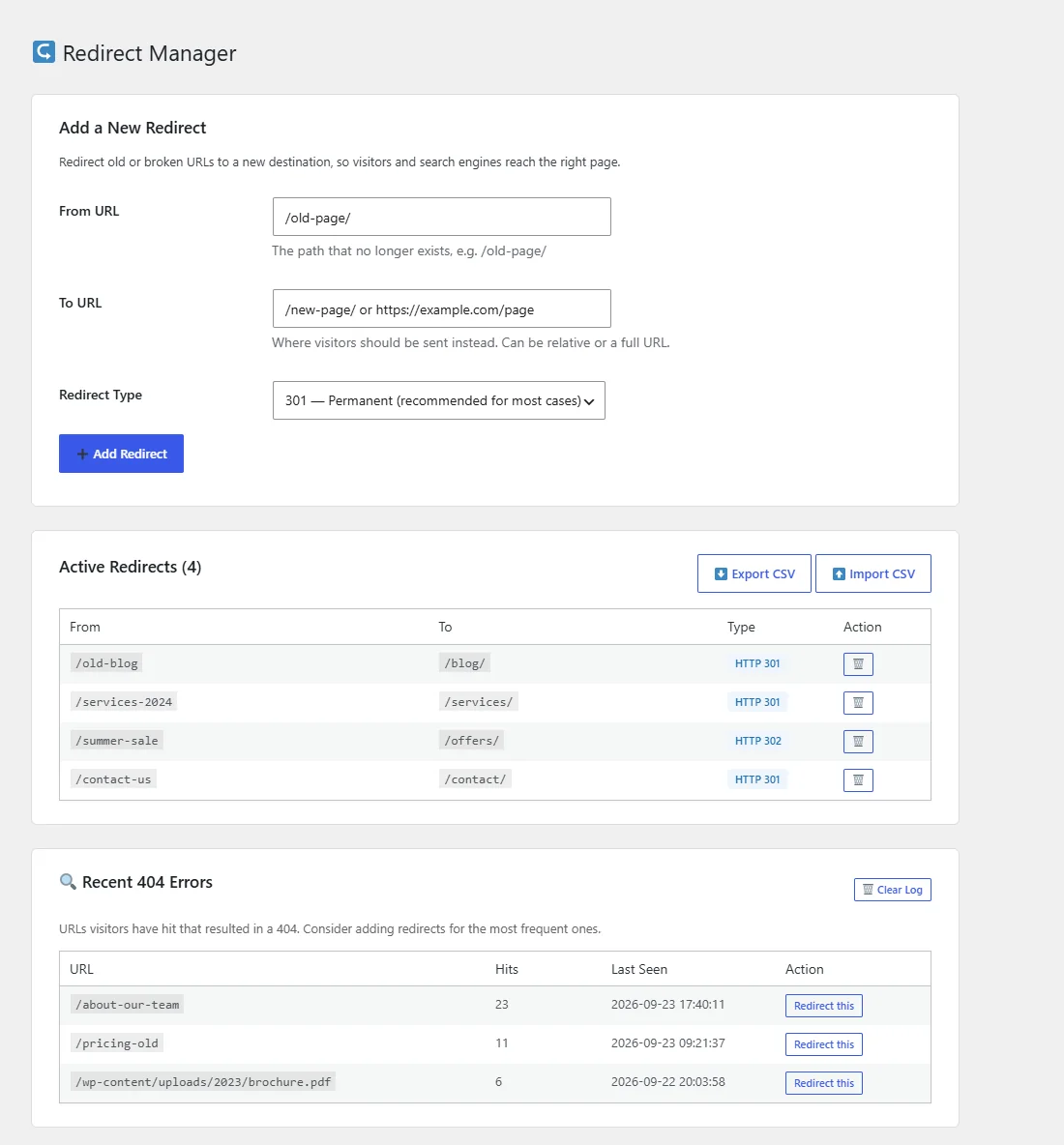
301, 302 and 307 redirects, a log of the addresses visitors hit that do not exist, and CSV import and export.
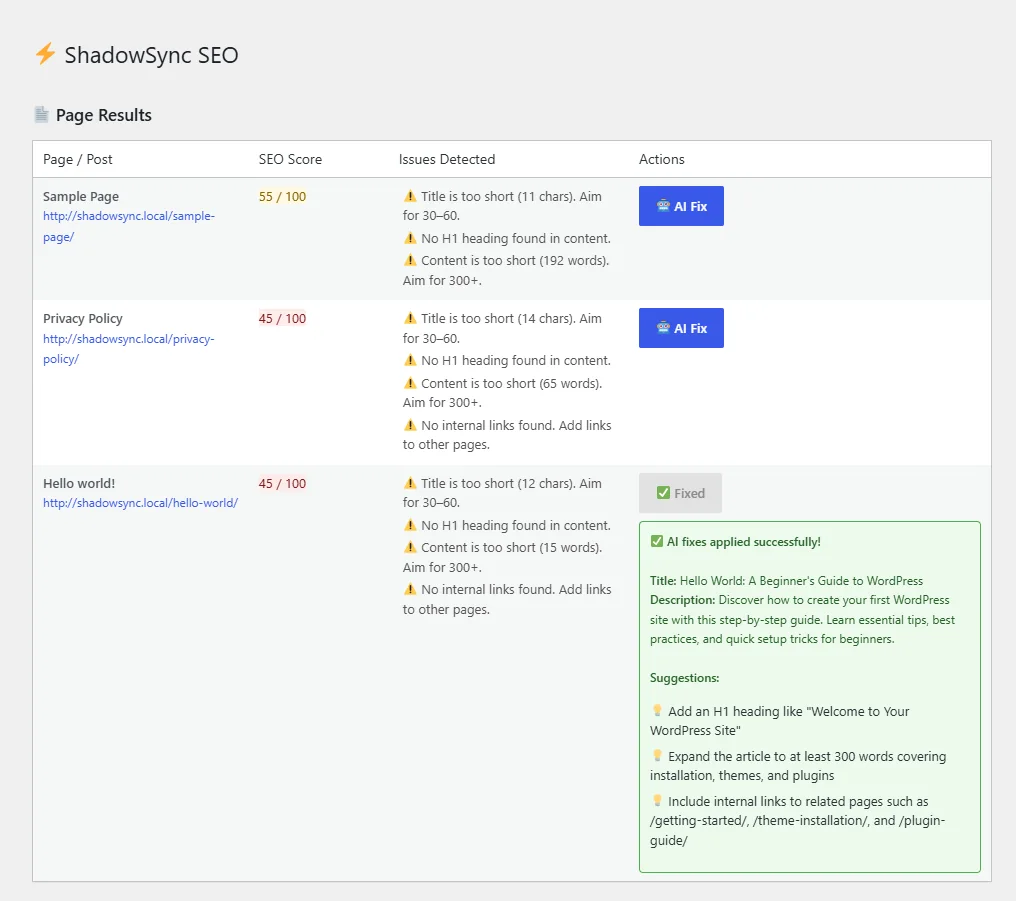
The free plugin finds the problems. Pro writes the fixes.
Pro is an add-on to the free plugin. There is no API key to set up: the AI runs on our service and is included in the price.
AI Fix reads a page's title, address, focus keyword and issues, writes a new SEO title and meta description, saves them, and suggests three content changes.
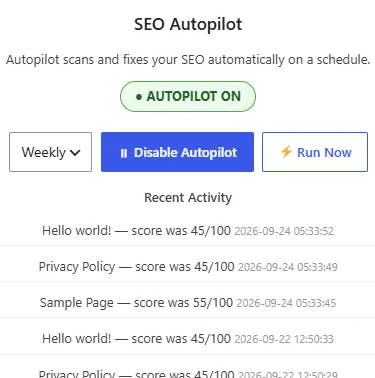
On a schedule, AI Fix runs on every page that scored under 60 in your last scan, and you get an email listing what changed.
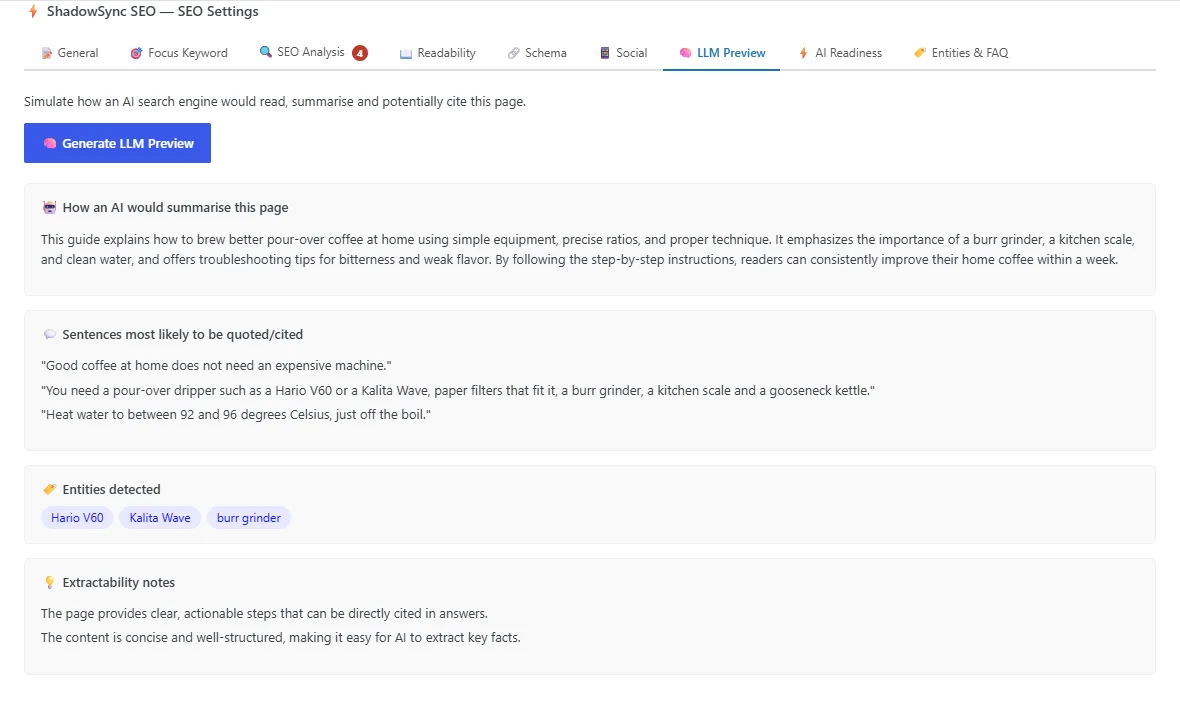
LLM Preview writes the summary an AI answer would give, picks the sentences most likely to be quoted, and lists the entities it detects.
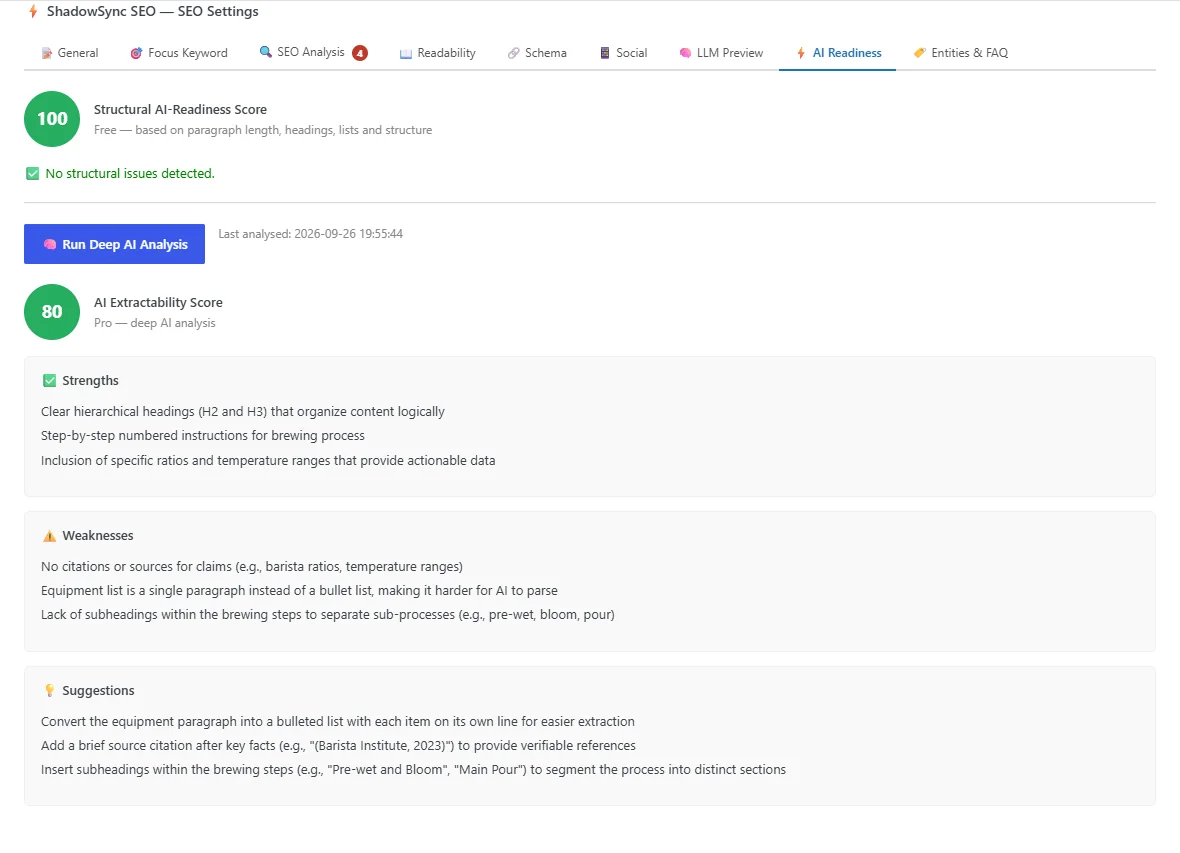
AI Readiness scores how easily AI can extract and cite the page, then lists each weakness with the change that fixes it.
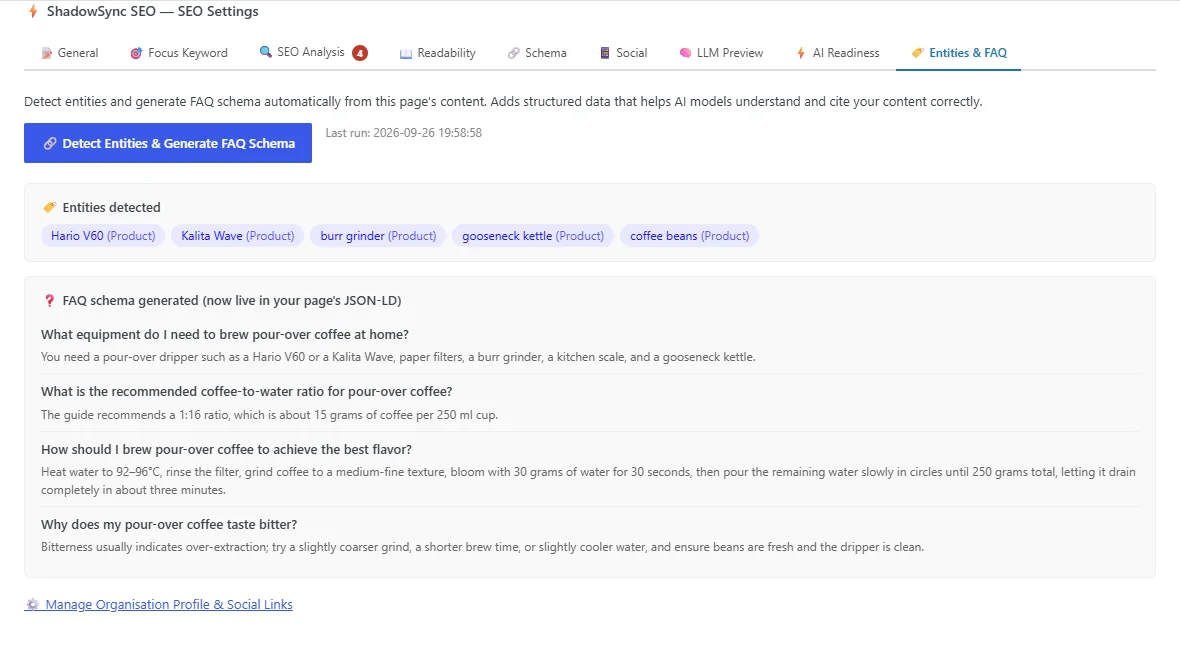
Detects the products, people and places a page mentions and writes FAQ structured data from its content.
AI Content Fixer rewrites a page to fix its readability issues. You see the before and after side by side, nothing changes until you approve it, and the original is kept as a backup and in the post's revisions.
The Agency plan adds two tools for reporting to clients, on as many sites as you manage.
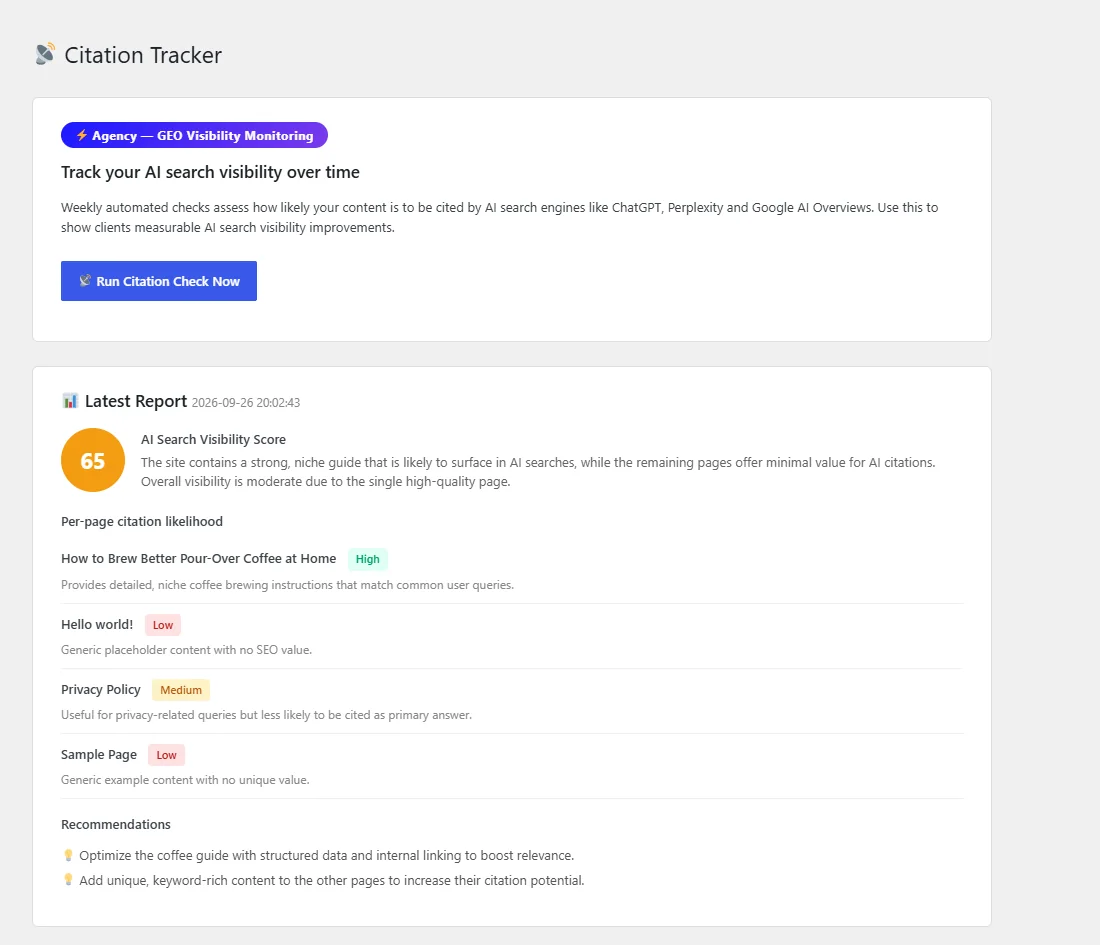
Every week an AI model assesses how likely your five most recently updated pages are to be cited in AI answers, and keeps a year of results.
Agency plan
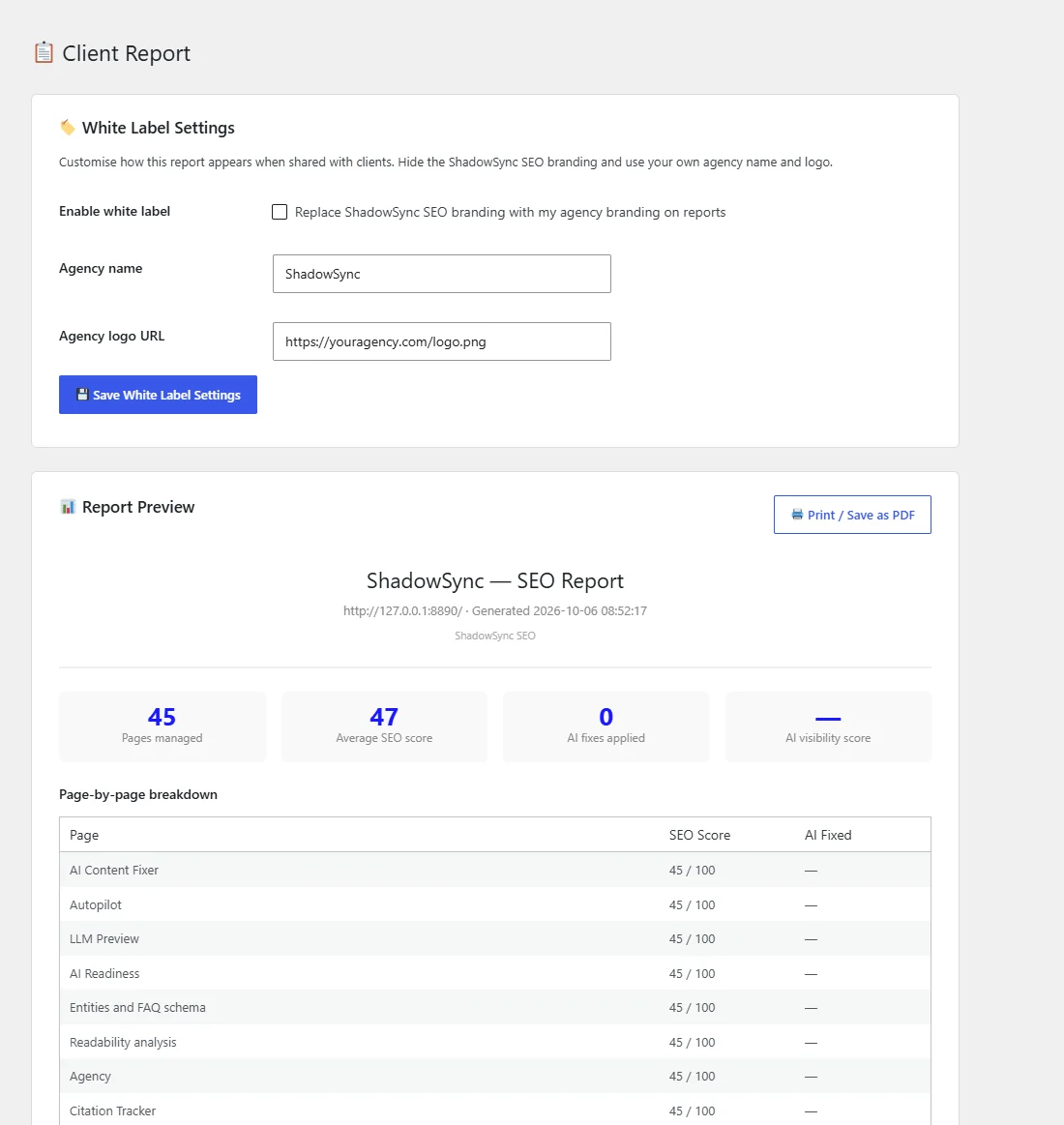
A one-page SEO report with page scores, AI fixes and visibility, printed or saved as PDF, with your agency's name and logo instead of ours.
Agency plan
Prices in US dollars. Pro and Agency are paid through Lemon Squeezy, and your licence key arrives by email.
$0 forever
The whole free plugin: every screen on the wall above, with no limits.
Install free$5 per month · 1 site
Adds to the free plugin:
$100 per year · unlimited sites
Everything in Pro, plus:
Everyone starts on the free plugin — Pro and Agency are add-ons you switch on later, on the same site, without reinstalling anything. Tell us what you need and we will tell you which one fits, or start free and decide once you have seen your scores.
Set-up guides for every screen in the free plugin and in Pro, written from the plugin itself.
Open the docsAnything else, ask us at info@shadowsync.tech.
No. Everything in the free section works without a licence, with no trial period and no usage cap. Pro is a separate add-on you install alongside it.
No. Pro's AI runs on our service, which uses Groq to generate results, and it is included in the price. When you use an AI feature, what that feature needs is sent to the service: the page's title and address, and for most features its text.
A fair-use limit of 60 AI requests an hour from your server. Autopilot works through pages one at a time, so on a very large site a single run may stop at the limit and finish on the next one.
Run one SEO plugin at a time. Two will print duplicate titles, descriptions, sitemaps and structured data.
The licence is checked weekly. Once it lapses, the site goes back to the free plugin, which keeps working. Titles and descriptions the AI already wrote stay where they are.
Deactivate it under ShadowSync SEO → Licence on the old site, then activate it on the new one. An Agency licence works on as many sites as you manage.
The free plugin loads no scripts or stylesheets on the front end. It adds meta tags and structured data to the page head.
Licence questions, bugs, and anything before you buy. Tell us the site and the version and we can answer in one reply instead of three.
Install it, run a scan, and your pages have scores in under a minute. Add Pro when you want AI to write the fixes.